CARA DIAL UP
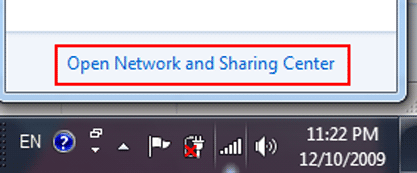
- Click the Network Connection icon (lower right corner of your computer screen).

- Click Open Network and Sharing Center.
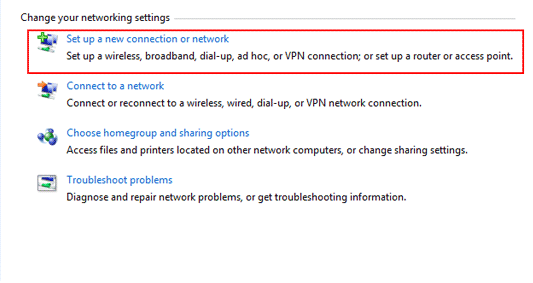
- Click Set up a new connection or network.
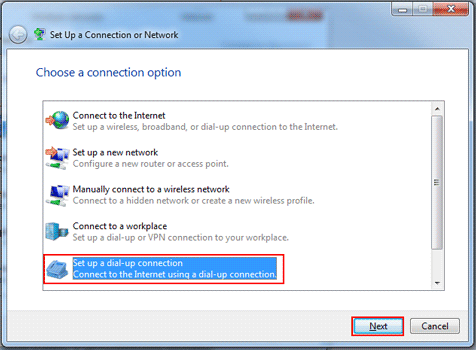
- Click Set up a dial-up connection, then click Next.
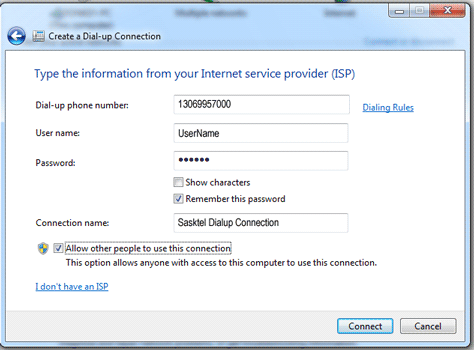
- Enter your Settings for Dial-up Internet.
- Click Connect. If it works, your login settings will be saved automatically.
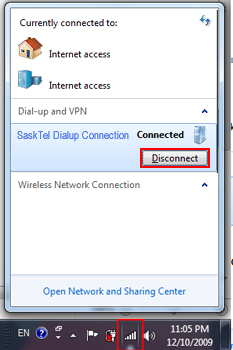
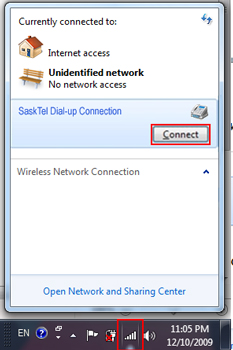
To disconnect or reconnect to the Internet:
- Click the Network Connection icon (lower right corner of your computer screen).

- Choose SaskTel Dialup Connection and click either Disconnect or Connect.
Komentar
Posting Komentar